
Users planning a CCTV IP camera system setup encounter challenges routing cables, configuring network IP addresses, and mounting hardware across different structural surfaces.
Mount the cameras using weatherproof junction boxes, terminate CAT6 cables to a PoE switch, activate the devices via the SADP tool to assign IP addresses, and add the configured cameras to the NVR interface for monitoring.
Attach the weatherproof stand and junction box to the exterior wall. Route the pigtail connection inside the box to conceal the wiring. Secure the outdoor bullet camera to the mount and adjust the viewing angle before locking the collar.
For the indoor dome camera, remove the outer transparent cover. Secure the camera base directly to the ceiling structure using the mounting holes. Reattach the dome cover to protect the lens.
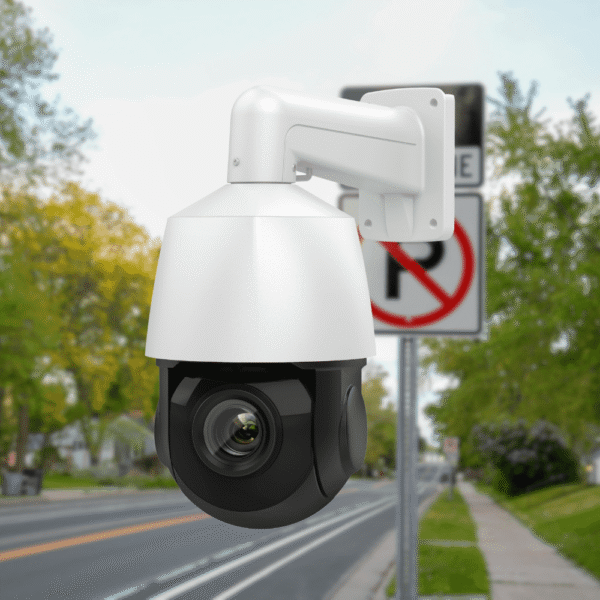
For wide-area hardware, mount the metal bracket and secure the dual-lens camera unit to the wall structure.
Run outdoor-rated CAT6 cables from the camera mounting locations to the 4U network cabinet. Strip the exterior cable jacket, align the internal copper wires, and crimp RJ45 connectors onto the ends. Plug the terminated cables into a 16-port or 24-port PoE switch. The switch provides both electrical power and data transmission to the connected cameras.
Connect a computer to the same local network as the PoE switch. Open the Hikvision SADP Tool software. The software scans the network and populates a list of inactive cameras. Select a camera from the list and create an admin password to activate the device. Modify the default IP address to a static IP address that matches the NVR’s local network scheme.
Access the NVR interface using an attached monitor, such as a 50-inch display. Navigate to the camera management section within the system menu. Input the static IP addresses and the admin passwords configured in the SADP tool. The NVR authenticates the connection and displays the live video feeds on the matrix screen.
VisionIPC operates as a Hikvision cameras and Dahua CCTV distributor, supplying hardware for commercial and residential security deployments.
A properly configured CCTV IP camera system setup ensures continuous video surveillance and long-term hardware functionality. Contact VisionIPC to procure enterprise-grade cameras, NVRs, and PoE switches for your infrastructure.
Dive into our handpicked articles below, curated to align with your interest in reliable security technology, featuring expert tips, product deep dives, and scenario-based guides.